Business card scanner for Android
Scan the card.
Keep the name.
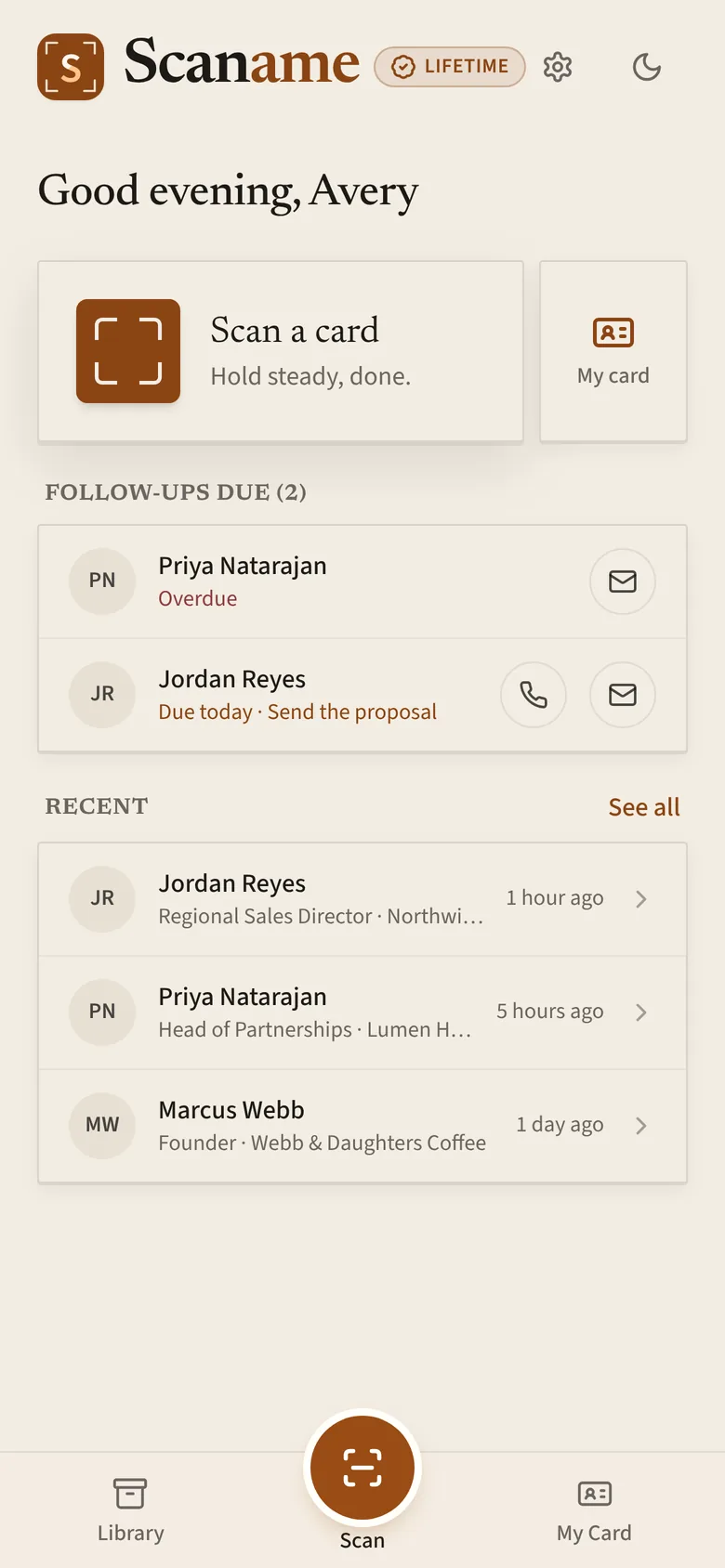
Hold a card in the frame. Scaname captures it when it's steady, reads every line, and files the contact, ready to call, email, or share.
 First scans free · No subscription

Scaname is on Android for now. iPhone is on the way: email us and we'll let you know.
Your contacts are yours: export them anytime, free. No ads.
How it works
Point, hold steady, done.
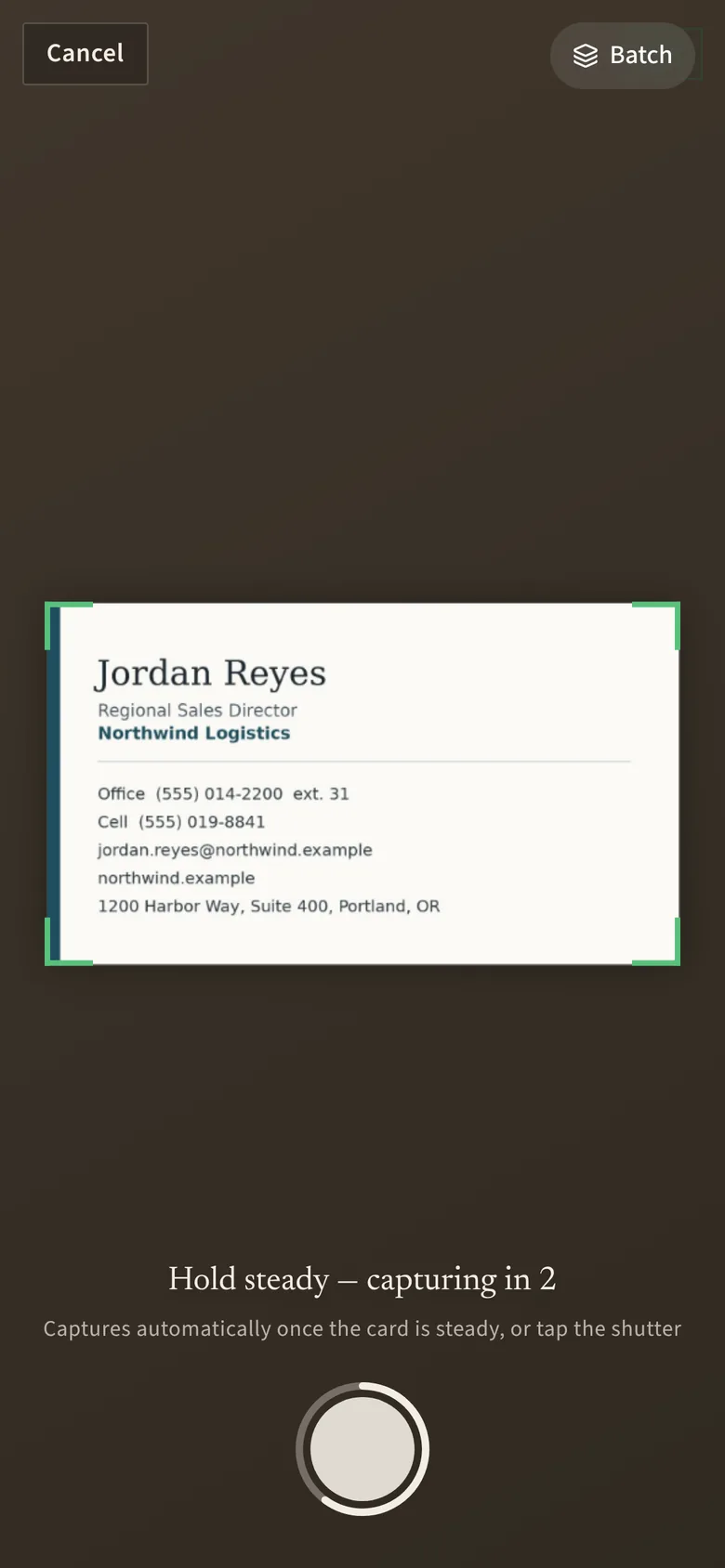
Hold the card
Line it up in the crop marks. When it's sharp and still, a short countdown runs and Scaname snaps it, cropped to just the card.
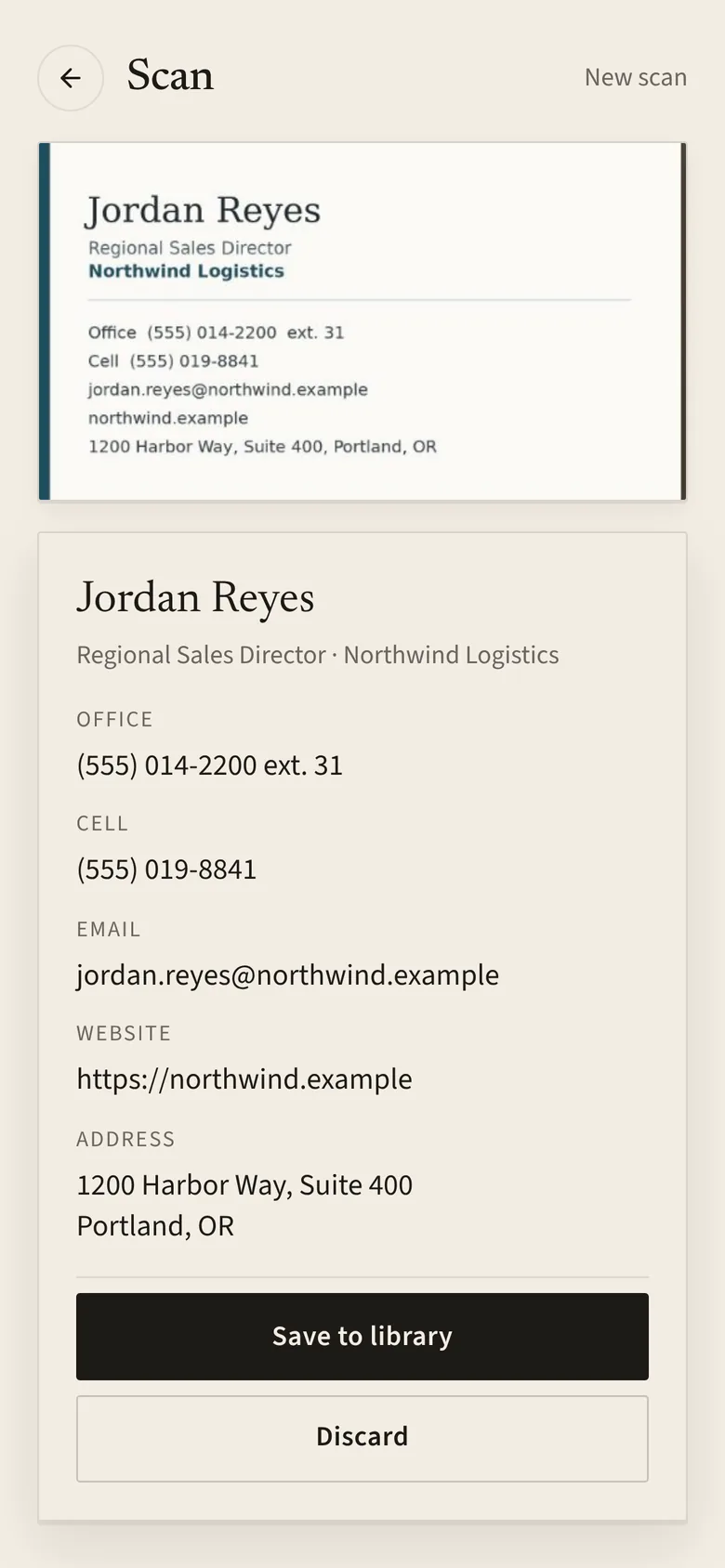
AI reads it
Name, title, company, email, website, address, and every phone number, sorted as Office, Work, Cell, Home, or Fax. Anything it isn't sure about is flagged, so you check two fields instead of ten.
Follow up
Add where you met and when to follow up before you save. Then call or email in one tap, and pick up where you left off from your Home screen.
Features
Everything a card should become.
Built for people who meet a lot of people: sales, real estate, trade shows, and conferences.
Paper or QR, any setting
Single cards front and back, several in one photo, a whole stack in batch mode, or a roster. Digital cards' QR codes are read instantly and don't use a scan.
Reads 10 languages
English, Spanish, French, German, Portuguese, Italian, Chinese, Japanese, Korean, and Arabic, keeping accents and original scripts.
Never lose the thread
Follow-up reminders with calendar events, voice notes with a transcript and summary, tags, favorites, duplicate merging, and a "Needs a look" list for scans to double-check.
Your own card, in 3D
A digital business card with a QR code anyone can scan, shareable as a contact file or email signature.
Event mode
At a trade show? Start an event and every card you scan is tagged with it. Export the event's leads in one tap. (Scaname Pro)
Your data, your call
Export everything to CSV anytime, free. No ads, no selling your data, and your contacts are never used to train AI.
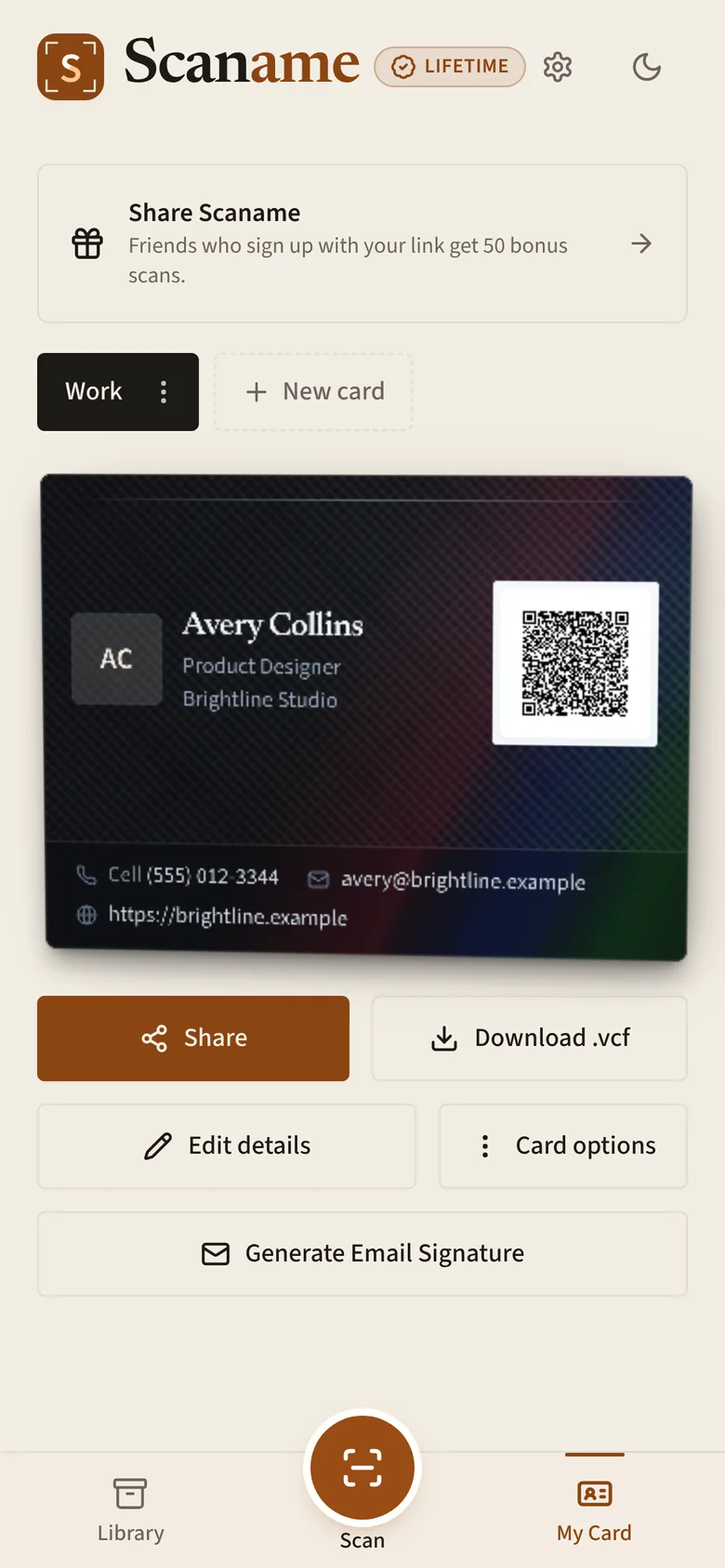
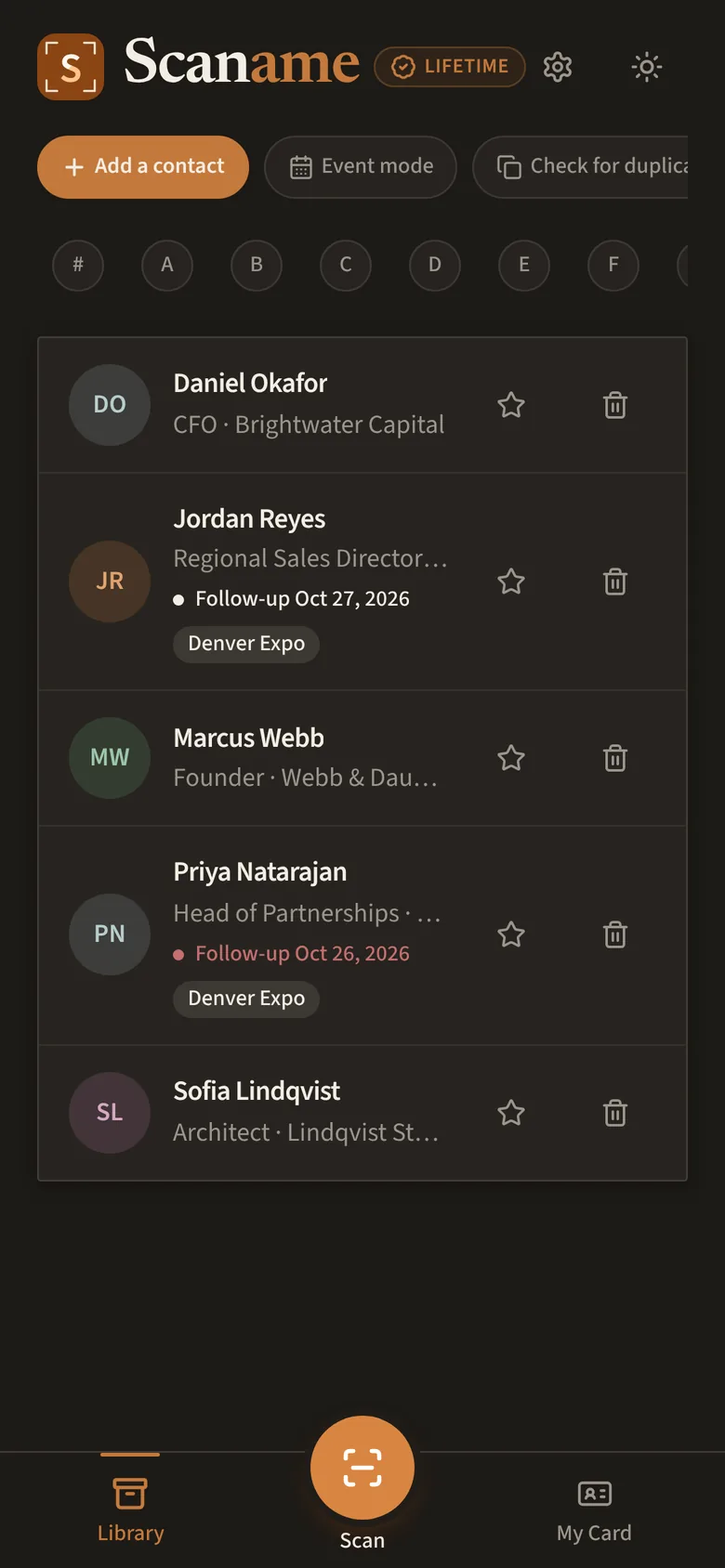
Made to feel like paper
A contact book you'll want to open.
Scaname is designed like good stationery: warm paper tones, crisp type, and a card that tilts and catches the light.
- Light and dark themes, in English and Spanish, with app colors in Pro
- List, company, and Rolodex views with A–Z
- Works offline: browse contacts without a connection
- 12 premium card designs with Scaname Pro
Pricing
Pay once. Or not at all.
No subscriptions, ever. Your first scans are free, and exporting, sharing, and your QR card always stay free.
Free
To get started
- First AI scans free
- Bonus scans for your first steps and referrals
- Unlimited contacts, export, and sharing
- Your QR business card
Lifetime
Unlimited AI scans, for life
- Scan as many cards as you meet
- Every scanning mode
- Add Pro for $5 more with the Lifetime + Pro bundle
Scan packs
Or 75 scans for $6.99
- Top up whenever you like
- Added to your free scans
- Great for occasional events
Pro
For your own card
- 12 premium card designs
- Up to 50 cards
- Event mode for trade shows
- App colors
Give Scaname as a gift: buy Lifetime for a colleague or friend and we email them a one-time code.
Prices in US dollars; Google Play shows the price for your country. Purchases are one-time, through Google Play.
Questions
Good to know
Do my free scans reset if I reinstall?
No. Scans are counted on your account, so reinstalling or switching phones doesn't reset them, and you don't lose any.
I changed phones. Will my contacts still be there?
Yes. Your contacts, cards and notes are saved to your account, not your phone. Install Scaname from Google Play and sign in the same way you did before (email, Google or Apple), and everything will be there.
Can I get a refund?
Within 48 hours of buying, you can request a refund through Google Play, and it's usually automatic. After that, refunds go through Google Play's standard process. Our Terms of Service have the details.
How do I get my contacts out of Scaname?
Go to Settings, then Your data, then Export all contacts (CSV). It's free, with no unlock needed. You can also share any single contact as a contact file.
Can it read digital business cards?
Yes. Point the camera at a contact QR code (another Scaname user's card, or most digital-card apps) and the contact fills in instantly. QR codes don't use a scan, even on the free plan.
Does Scaname work offline?
Mostly. You can browse your contacts and your card without a connection, and changes sync when you're back online. Scanning needs a connection, because the AI reads the card.

Your next card is one scan away.
Free to download. Your first scans are on us.
Scaname is on Android for now. iPhone is on the way: email us and we'll let you know.